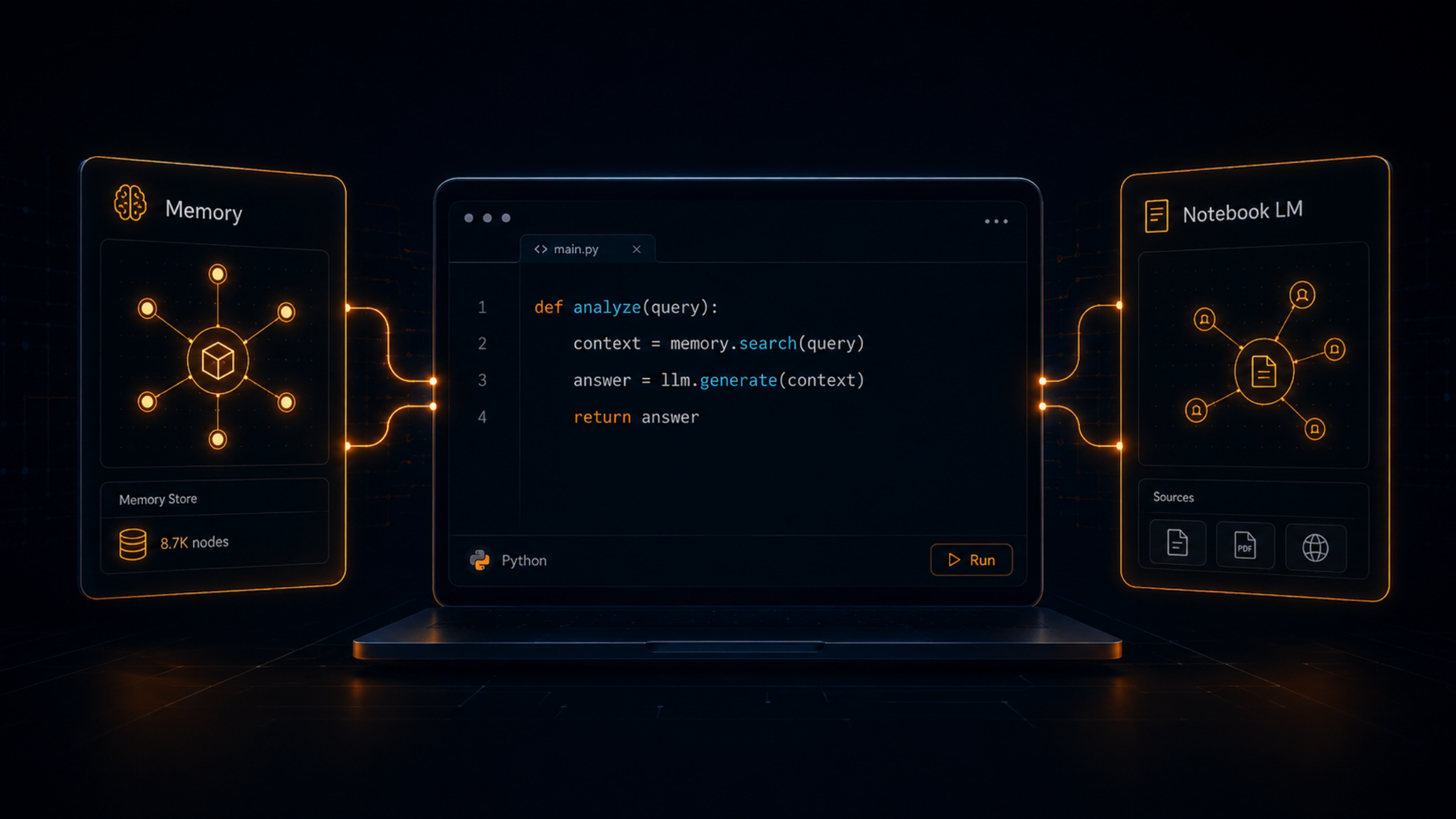
Andrej Karpathy's LLM Wiki pattern, implemented with Obsidian and Claude Code, a practical setup for teams who want full control over their knowledge infrastructure.
Andrej Karpathy published a pattern earlier this year that has been circulating in engineering and product circles since. He called it the LLM Wiki. The idea is not complicated, but the implications are significant for anyone who manages a serious body of knowledge as part of their work.
Most systems that use AI for knowledge retrieval are built around RAG: you store documents, embed them, and retrieve relevant chunks when a question comes in. It is a solid pattern for many use cases. But it has a ceiling. Every query starts from scratch. Nothing accumulates. The system does not get better at answering questions about your domain the more you use it, it just gets bigger.
Karpathy's proposal is to flip the model. Instead of the AI reading raw documents at query time, have it maintain a structured wiki as sources come in. The wiki is the knowledge base. Queries land in a pre-synthesised layer rather than a raw document pile. Over time, the wiki compounds. Cross-references build up. Contradictions get flagged. The system becomes a better research partner the more it ingests.
This article walks through how to implement that pattern using Obsidian as the storage layer and Claude Code as the engine, the same stack Karpathy uses. It assumes familiarity with the command line and markdown. If you are looking for a no-code version of the same idea, there is a separate article in this series covering a Google NotebookLM approach.
The maintenance burden is the reason most knowledge bases fail. Building one is easy. Keeping it current is not. Cross-references go stale. Summaries do not get updated when new information arrives. Contradictions accumulate silently. Eventually the system becomes untrustworthy and people stop using it.
Karpathy's framing of this is precise: humans abandon wikis because the maintenance burden grows faster than the value. The work of touching fifteen files when a single new source arrives, updating cross-references, revising summaries, flagging outdated claims is exactly the kind of repetitive, context-heavy work that language models handle well. The cost of maintenance drops to near zero. The wiki stays current.
Karpathy's metaphor: Obsidian is the IDE. The LLM is the programmer. The wiki is the codebase. The model does not just store information, it actively maintains it.
For engineering teams, product teams, and anyone managing technical knowledge at scale, this has practical value. Architecture decisions that need to stay current as a system evolves. Competitive intelligence that needs to track how a market shifts over time. Research that needs to compound rather than accumulate.
The system has three layers.
Your curated collection of source documents: articles, PDFs, research notes, clipped web pages. These are immutable. The AI reads from them but never modifies them. This is the source of truth for everything the wiki contains.
A directory of AI-generated markdown files. Source summaries, entity pages for people, products, and organisations that appear across sources, concept pages for recurring ideas, a comparison index, and a master index that ties everything together. Claude Code owns this layer entirely, it creates pages, updates them when new sources arrive, maintains cross-references, and keeps the whole structure consistent.
A CLAUDE.md configuration file that lives at the root of the vault. It tells Claude Code how the wiki is structured, what conventions to follow, and what workflows to execute when ingesting a new source, answering a question, or running a health check. This is what gives the system its discipline. Without a schema, the output drifts. With one, the AI behaves like a consistent, trained wiki maintainer across every session.
Open Obsidian, create a new vault, and give it a name that reflects the knowledge domain you are building. This vault is just a folder on your local machine — all files are plain markdown, all changes are yours.
Open Claude Code pointed at your vault folder. You can do this by running:
claude --project /path/to/your/vault
Then give Claude Code the Karpathy gist and ask it to implement the full structure. Paste the gist content and instruct Claude Code to:
When Claude Code finishes, switch to Obsidian. You will see the full directory structure in the file explorer and your first set of interlinked pages in the graph view. From here, the vault is ready to use.
Open the Obsidian Web Clipper extension settings. Set the default vault to the one you just created and the default save folder to raw/. When you clip an article from the browser, it drops a clean markdown copy directly into your raw sources folder, ready for ingestion.
With a new file in raw/, tell Claude Code to ingest it:
Ingest the new file in raw/
Claude Code will read the source, present a summary and the key claims for review, then build the output: a source summary page, entity pages for any people, products, or organisations mentioned, concept pages for ideas covered, and updates to the master index. All cross-referenced. One source typically generates five to fifteen wiki page updates.
This is where the compounding effect becomes visible. The tenth source you ingest does not just add ten new pages, it enriches twenty existing ones.
Ask Claude Code a question about your domain:
What do we know about [topic] across all sources?
Claude Code reads the master index, pulls the relevant wiki pages, and synthesises an answer with wikilink citations back to specific sources. If the answer is substantial and likely to be useful again, it can file it as a new wiki page so even your queries compound.
Periodically, run a lint pass:
Lint the wiki
Claude Code scans for contradictions between pages, orphan pages with no inbound links, stale claims that newer sources have superseded, and missing cross-references. It reports everything by severity and offers to fix each issue. The wiki stays accurate rather than just growing.
The schema is what separates a disciplined wiki from an inconsistent pile of AI-generated notes. It defines page types, naming conventions, what to do when a new source contradicts an existing claim, and how to handle entities that appear across many sources.
A well-written schema does three things. It makes Claude Code's output predictable every source summary follows the same structure, every entity page has the same sections. It gives the AI a decision framework for edge cases what counts as a contradiction worth flagging, how to handle partial information, when to create a new concept page versus adding to an existing one. And it makes the wiki portable another engineer can open the vault, read the schema, and understand exactly how the system is organised.
Think of CLAUDE.md as the onboarding document for a new team member who will be maintaining the wiki indefinitely. The more precise it is, the less you need to supervise the output.
Karpathy's original gist includes a complete schema as a starting point. It is worth reading in full before adapting it to your domain, because the conventions it establishes particularly around cross-referencing and contradiction handling are the parts that create the most value over time.
A few things that come up in real implementations.
Source quality determines wiki quality. The system synthesises what you feed it. If you ingest low-signal sources; listicles, press releases, content written for SEO, the wiki pages will reflect that. Being selective about what goes into raw/ is as important as the technical setup.
The schema needs iteration. Your first CLAUDE.md will not be perfect. After ingesting twenty or thirty sources, you will notice patterns, page types you wish you had defined, conventions that produce inconsistent output, cross-reference logic that does not handle a common case. Plan to revise the schema, and when you do, ask Claude Code to re-lint the existing wiki against the new rules.
Version control is worth adding early. Because the wiki is just a folder of markdown files, it works naturally with git. A simple git init and periodic commits give you a full history of how the wiki evolved, the ability to roll back a bad ingestion, and a clean way to collaborate if more than one person is maintaining the vault.
The system is local by default. Your documents and wiki pages stay on your machine. For teams that need shared access, the vault folder can live in a shared Drive or be hosted in a private repository. Claude Code can be configured to run against a remote path, though the simplest setup is still local.
This setup has a higher initial investment than uploading documents to a hosted tool. It makes sense when you need full control over the knowledge infrastructure, when data residency matters, when you want to use your own model configuration, when the volume of sources exceeds what hosted tools handle well, or when the wiki needs to integrate with existing engineering workflows.
For individual contributors or small teams who want the compounding benefit without the infrastructure, the NotebookLM version of this pattern covers most of the same ground with no technical setup. The trade-off is less control over the schema, isolated notebooks, and reliance on Google's infrastructure.
For teams building a serious knowledge base, technical documentation, competitive intelligence, research archives the Obsidian and Claude Code stack is the more robust choice.
If you are evaluating this for a team context or want to discuss how to adapt the schema for a specific domain, we are happy to work through it.
Get in touch at itsavirus.com to explore what makes sense for your context.
.jpeg)

It's an approach where an AI maintains a structured wiki from your source documents instead of retrieving raw chunks at query time. The wiki compounds over time, so the system gets better at answering questions the more sources it ingests.
RAG retrieves from raw documents fresh on every query, so nothing accumulates. The LLM Wiki pattern has the AI build and maintain a pre-synthesised layer, with cross-references and contradiction flagging that builds up as more sources come in.
Yes, this version uses Claude Code and the command line, so familiarity with both is needed. For a no-code alternative, a NotebookLM-based version of the same pattern is available with less setup but less control over the schema. You can find our article on NotebookLM-based version here https://itsavirus.com/news/your-ai-keeps-forgetting-heres-how-to-stop-repeating-yourself